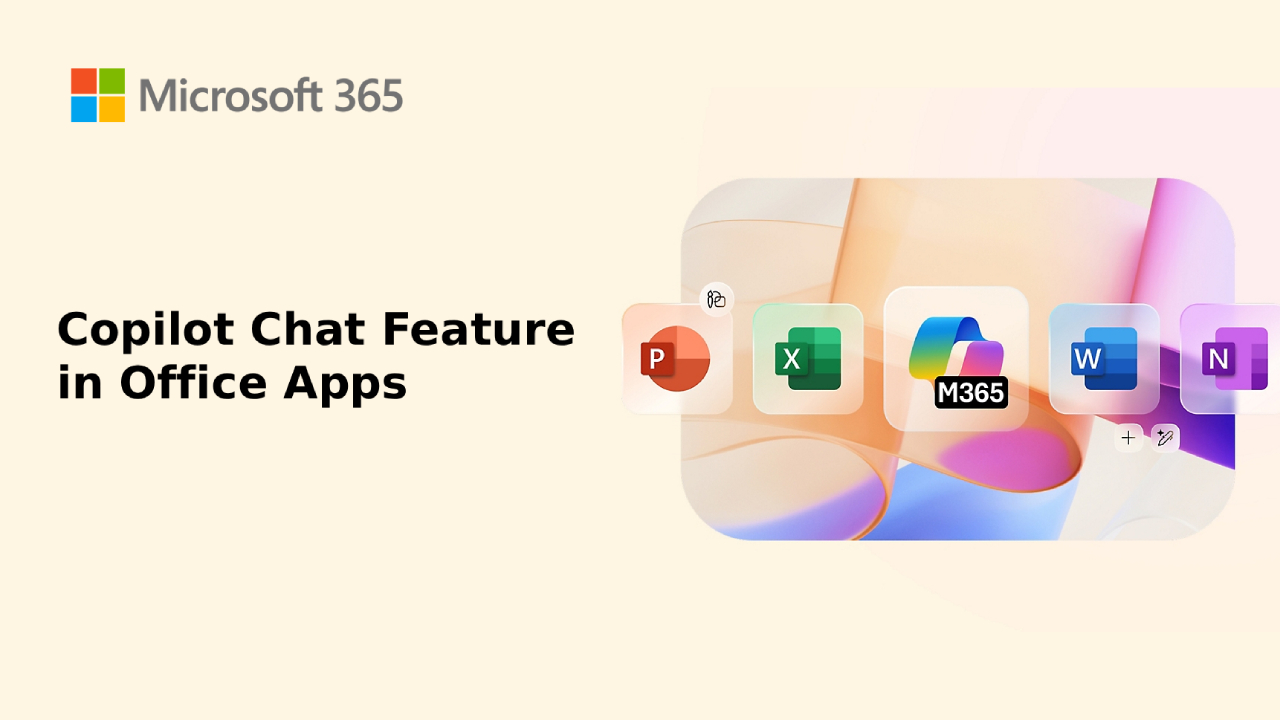
Microsoft က 2025 ထဲမှာ Free Copilot Chat Feature ကို Office apps တွေထဲမှာ တရားဝင် ထည့်သွင်းလိုက်ပါတယ်။ အရင်ကတော့ Microsoft 365 Copilot ကို subscription လိုအပ်ခဲ့ပေမယ့် အခု version မှာ အခြေခံ AI Assistant အနေနဲ့ အခမဲ့ အသုံးပြုနိုင်ပြီ ဖြစ်တာကြောင့် စီးပွားရေးလုပ်ငန်းများ ၊ ကျောင်းသား/ကျောင်းသူများ နှင့် သာမာန် User များ အားလုံး စမ်းသုံးနိုင်ပြီး Productivity ကို တိုးတက်စေဖို့ အထောက်အကူဖြစ်စေပါတယ်။
Free Copilot Chat Feature ဆိုတာ ဘာလဲ?
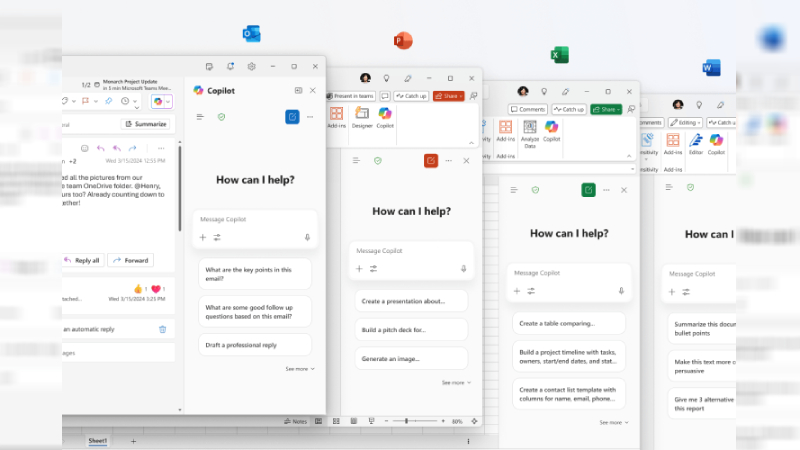
- Chat-based AI assistant တစ်ခုဖြစ်ပြီး ၊ Microsoft Word, Excel, PowerPoint, Outlook, Teams အပါအဝင် Office Apps အများစုမှာ ပေါင်းစပ် အသုံးပြုနိုင်ပါတယ်။
- Natural Language Prompt နဲ့ စကားပြောပုံစံနဲ့မေးပြီး နားလည်ဖို့ တိကျစွာ ဒီဇိုင်းချထားတာကြောင့် Coding အတွေ့အကြုံမလိုပါဘူး။
- AI-powered productivity tools တွေကို အခမဲ့စမ်းသုံးနိုင်တဲ့အတွက် လူအများစုရဲ့ စိတ်ဝင်စားမှုကို ဆွဲဆောင်နေပါတယ်။
Free Copilot Chat Feature နဲ့ လုပ်နိုင်သည့် အရာများ
- Word
-
- စာတမ်းအကျဉ်းချုပ်ရေးပေးနိုင်ခြင်း
- အကြောင်းအရာအသစ် Generate လုပ်ပေးနိုင်ခြင်း
- Grammar, Tone, Clarity စစ်ဆေးပေးနိုင်ခြင်း
- Excel
-
- Formula တွေကို Prompt နဲ့ တိုက်ရိုက်တည်ဆောက်နိုင်ခြင်း
- Data visualization (charts, graphs) ကို တိုက်ရိုက် Generate
- Dataset အကြီးအကျယ်ကို ချက်ချင်း Analysis လုပ်ပေးနိုင်ခြင်း
- PowerPoint
-
- Prompt တစ်ခုနဲ့ Slide design အလှဆင်ပေးနိုင်ခြင်း
- Presentation summary လုပ်ပေးနိုင်ခြင်း
- Speaker notes အလိုအလျောက် ဖန်တီးပေးနိုင်ခြင်း
- Outlook
-
- Email ရေးပေးနိုင်ခြင်း (formal, friendly style)
- Long email threads တွေကို အကျဉ်းချုပ်ပေးနိုင်ခြင်း
- Important tasks တွေကို စနစ်တကျ စီမံပေးနိုင်ခြင်း
- Teams
-
- Meeting transcript ကို အလိုအလျောက် စမ်းသပ်ပေးခြင်း
- Discussion summary နဲ့ Action points ထုတ်ပေးခြင်း
- Meeting note ကို တိုက်ရိုက် Save လုပ်ပေးနိုင်ခြင်း
ဘာကြောင့် Free Copilot Chat Feature အရေးကြီးသလဲ?
- Free Access – Subscription မလိုပဲ စမ်းသုံးနိုင်ခြင်း
- Time-Saving – Manual task အများစုကို ချက်ချင်း ပြီးစေခြင်း
- Consistency – Report, Slide, Email အားလုံးမှာ အရည်အသွေး တူညီစေခြင်း
- Productivity Boost – Student, Business, Freelancer အားလုံးအတွက် အကျိုးရှိခြင်း
Example Use Cases
- Excel – “Show me a sales growth chart for the last 6 months” → Copilot က ချက်ချင်း chart ဖန်တီးပေးမယ်
- Word – “Summarize this 5-page report into 5 bullet points” → အကျဉ်းချုပ်တိကျစွာထွက်ပေါ်မယ်
- Outlook – “Draft a polite response to decline this meeting invitation” → အဖြေတိကျပြီး စာပုံစံလှပစွာရေးပေးမယ်
Copilot Chat feature ကိုသုံးဖို့ ဘာတွေလိုအပ်သလဲ
Microsoft Office Apps တွေမှာ ပါဝင်လာတဲ့ Copilot chat feature ဟာ အခမဲ့ ဖြစ်တဲ့အတွက် Microsoft 365 account တစ်ခုရှိရုံနဲ့ စတင်အသုံးပြုနိုင်မှာဖြစ်ပါတယ်။
Microsoft 365 account ကိုလည်း အလွယ်တကူ အခမဲ့ ပြုလုပ်သုံးစွဲနိုင်ပါတယ်။
Account ပြုလုပ်ပုံ အဆင့်ဆင့် >> How do I create a free Microsoft account?
Log in ဝင်ရန် >> Microsoft 365 Login ဘယ်လို အလွယ်တကူ ဝင်မလဲ?
Summary
Free Copilot Chat Feature က Microsoft Office apps တွေကို အသုံးပြုနေသူတိုင်းအတွက် Game Changer တစ်ခုဖြစ်လာမယ်လို့ ဆိုနိုင်ပါတယ်။ အခမဲ့ စမ်းသုံးနိုင်သော်လည်း အခြေခံ Feature တွေထက် ပိုပြီး အဆင့်မြင့် Functions တွေလိုချင်သူများအတွက်တော့ Microsoft 365 Copilot Premium ကို အသုံးပြုရပါလိမ့်မယ်။
If you are interested in or want to learn more about Microsoft 365 and other products, Thetys Myanmar You can contact us to discuss details.
reference website : Fusion Solution, Fusion Solution Vietnam
Related Articles
- What is Customer Relationship Management CRM? How to use it?
- Chatbot Definition – What You Need to Know
- More about Power B
- Make figurines and join the Nano Banana AI Trend
- What is Gemini's Nano Banana AI?
- Copilot's GPT-5 – New Copilot Feature for Developers and Entrepreneurs