
What is Power BI?
Power BI It is a dashboard tool that can easily visualize data and is one of the most widely used BI (Business Intelligence) tools developed by Microsoft.
The main advantages of Power BI are —
- Can connect to any database
- Including automation system that can make work ready
- Affordable price of only 5,796 baht per year
Additionally, those who are still unsure after reviewing can check the Microsoft website. Free download You can try it out. If you are good at building graphs in Excel, you can even master Power BI in a day.
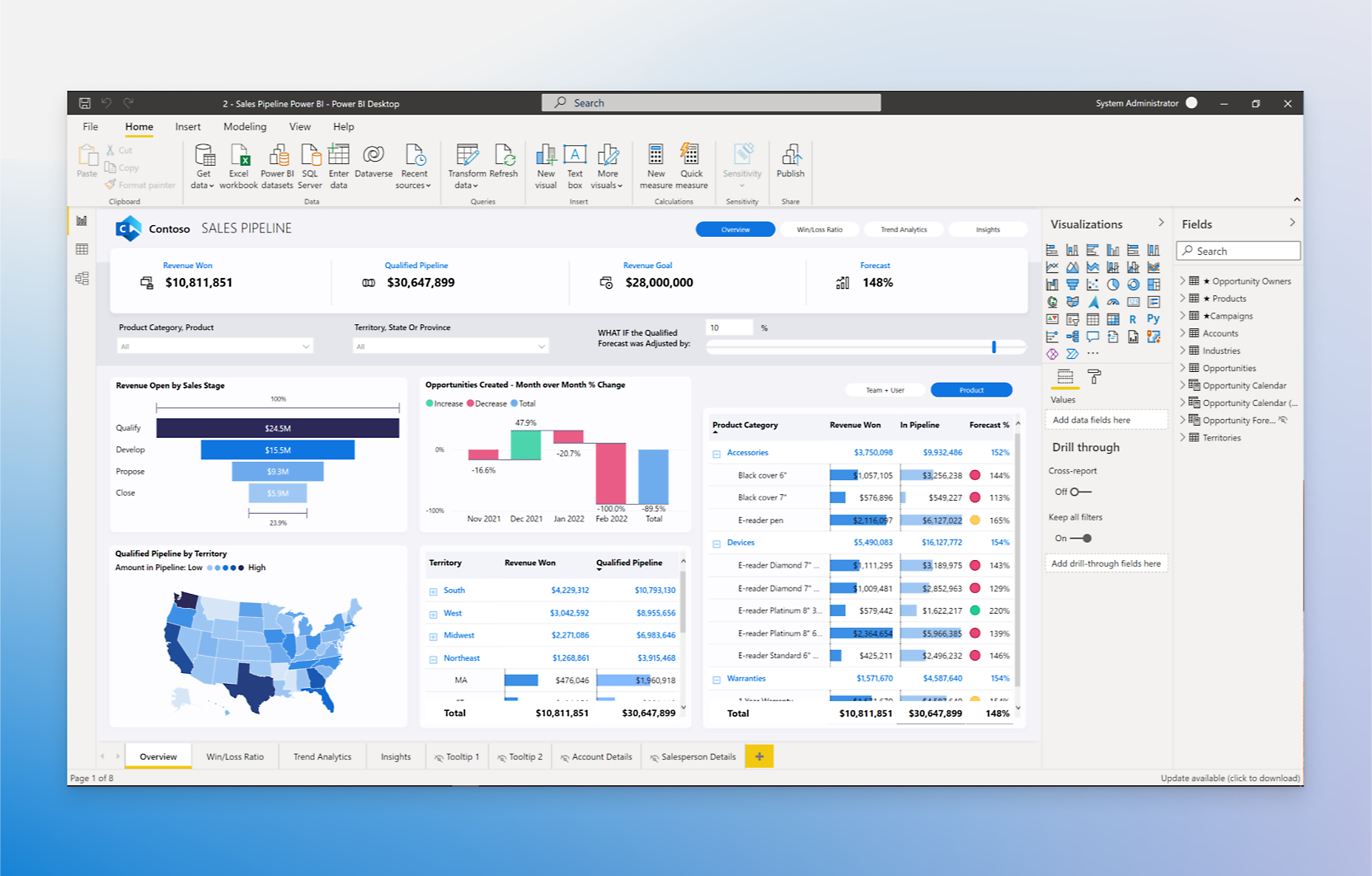
Power BI basics
Power BI is a Data Analysis service from Microsoft, Annual lease system It is
There are two packages available for users —
- Desktop Version
- Pro Version
You can create reports on your desktop or in the cloud. Currently, Desktop Version Ha Cloud Version Although the report building is more advanced than before, the Cloud Version may also be better in the future.
Excel's Pivot Table It is similar in design to Power BI, but Power BI has better features. For example —
- Excel can only support data up to 100 MB, but
- Power BI 300 MB per file Can support up to
Database size as well Up to 1 GB can be used.
In addition Cluster Model It includes a unique system for data analysis that is not included in Excel Pivot Tables.
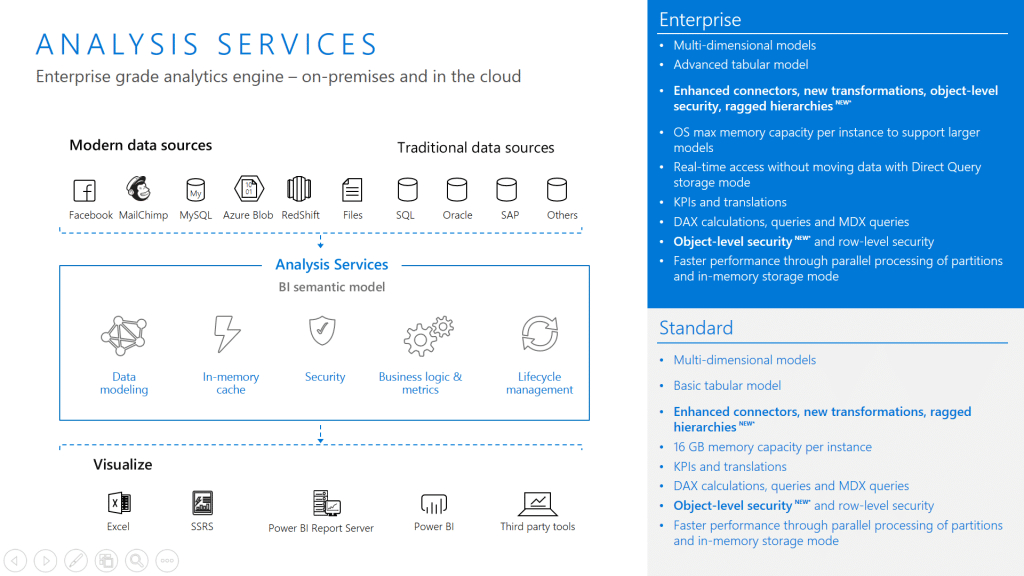
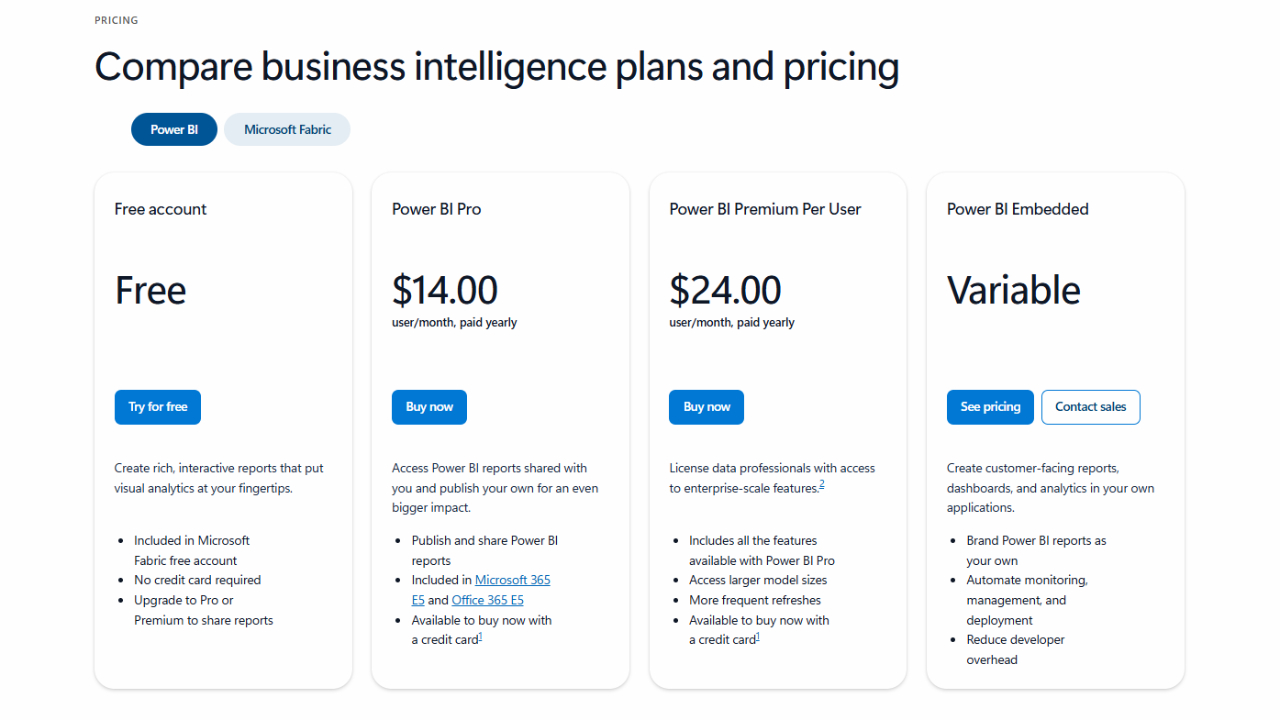
Power BI License Types
1. Desktop (Free download)
- It is a BI tool that can easily replace Excel's Pivot Table.
- Can be shared to the web.
- You can send files to others via email, but it's not convenient.
- The free version is suitable for beginners.
2. Pro Version
- Dashboards created on the desktop can be shared to the Portal.
- Friends or members can watch online from one place.
- Price – per person Approximately 5,796 baht annually About.
- Microsoft 365 E5 Plan Included and suitable for Enterprise users.
3. Premium Per User
- Storage Capacity 1 GB to 100 GB Can be used to increase.
- Although dashboards can be shared For Premium Users Only can be viewed.
- Suitable for users with large amounts of data.
4. Premium Per Server
- Unlimited Users can be used.
- You can choose from a variety of models depending on the size of your organization and are suitable for large specifications.
- MS SQL Enterprise License It can be installed and used on the server.
- A perfect solution for large organizations.
5. Power BI Embedded
- Unlimited Users can be used.
- Performance specifications are determined by the amount of performance each sub-model can achieve.
- Organizations with over 100 View Users The right BI Integration Solution for you.
- You can embed dashboards in your application and make them available to external users.
Benefits of using BI (Business Intelligence) for business
By using a Business Intelligence system like Power BI in your business, you can achieve the following benefits:
1. Ability to integrate data systematically
Power BI has the ability to connect seamlessly with ERP, CRM, HRM, and financial systems.
This system allows data from different sources to be collected in one place, making it easy to review and saving time.
For example — CRM data, payroll HRM data, and financial records within the business can be integrated and analyzed.
2. Real-time data analysis
Real-time Performance Analytics allows you to instantly see your business performance,
Analyze emerging situations and make decisions faster.
The main advantage is the ability to quickly analyze financial data and see market changes instantly through Power BI.
3. Speeding up decision-making
A BI system allows managers to quickly assess the current situation,
It allows you to take action when it is truly needed.
Every decision based on data becomes a truly valid and reliable action.
4. Can be expanded as needed
A BI system is a flexible system that can be expanded as the business grows.
As the business grows, the data volume increases, but the BI system can automatically and systematically scale up.
Start from a small organization size and then evolve into an enterprise-level BI system.
Estimated cost of BI Project
The cost of building a BI System depends on various factors. For example —
| Cost-related factors | Description |
|---|---|
| Data size | Larger data volumes can make system development more expensive. |
| Number of connected systems | Connecting to multiple ERP, CRM, and HRM systems can take more time. |
| Number of Dashboards and Reports | The more reports you need to build, the higher the cost. |
| ETL (Extract, Transform, Load) workload | Depends on the industry for data processing and systematic review. |
Thetys Flexible for your business through Monthly payment system You can choose to buy.
Therefore, businesses can easily control their finances and improve investment efficiency.
What you need to get started
For those who want to get started using Power BI POC (Proof of Concept) Can be tested in a form.
This way, you can experience the benefits of BI for your business before you even realize it.
Fusion Solution's organization is —
- Consulting
- System Design & Implementation
- Training & Operation Support
Each step will be mutually supportive.
Implementing a BI system is crucial for the future of your business. Data-driven Decision Making It will be the most important foundational step in building.


