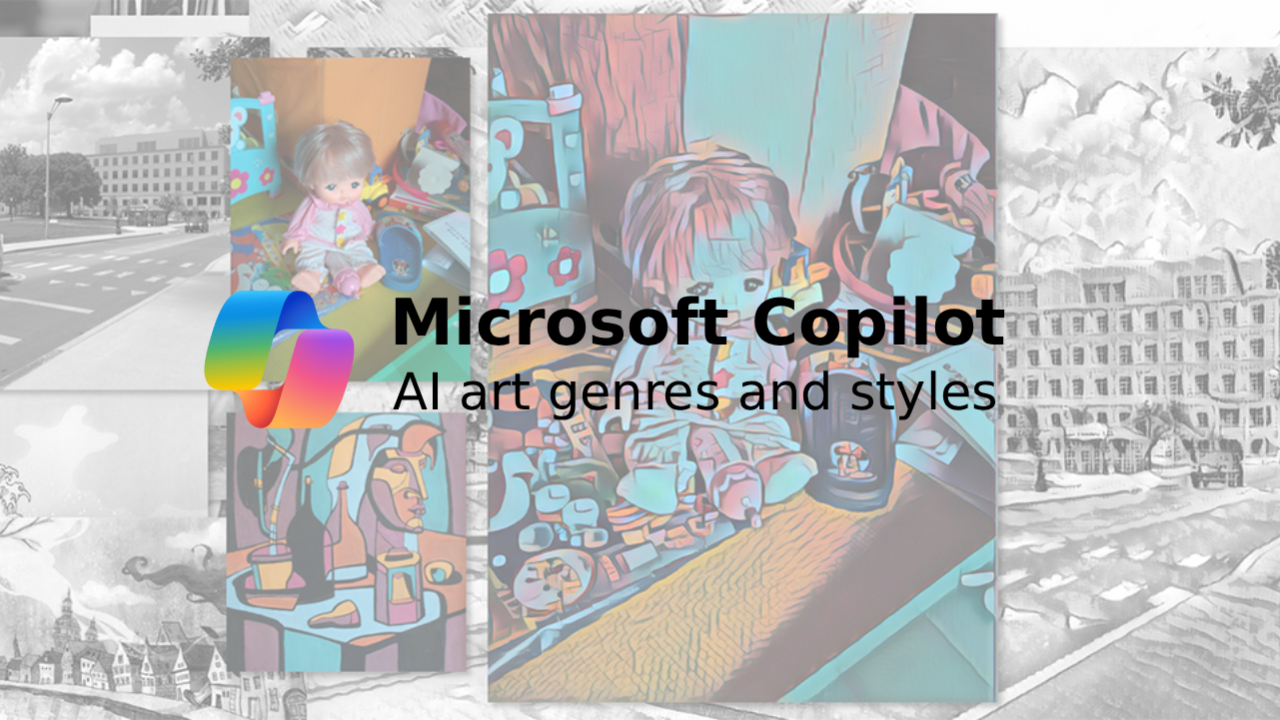
ဒီနေ့ခေတ်မှာ AI ကိုသုံးပြီး ပုံရိပ်တွေ ဖန်တီးရတာဟာ နယ်ပယ်အစုံ၊ စတိုင်အစုံကို စိတ်ကြိုက်စမ်းသပ်လို့ရတဲ့အတွက် အရမ်းကို စိတ်လှုပ်ရှားဖို့ ကောင်းပါတယ်။ Microsoft Copilot ကို အသုံးပြုပြီး အပြင်ကရိုက်ထားတဲ့ ဓာတ်ပုံနဲ့မခြားတဲ့ Hyper-realistic ပုံရိပ်တွေ၊ အနုပညာဆန်တဲ့ ဆီဆေးပန်းချီတွေ၊ 3D Renders တွေနဲ့ အနုစိတ်ကျတဲ့ သရုပ်ဖော်ပုံတွေကို အလွယ်တကူ ဖန်တီးနိုင်ပါတယ်။ သင်ဟာ ဒီဇိုင်နာတစ်ယောက်ဖြစ်စေ၊ Content Creator တစ်ယောက်ဖြစ်စေ၊ ဒါမှမဟုတ် ဝါသနာရှင်တစ်ယောက်ပဲဖြစ်ဖြစ် AI art genres and styles တွေကို နားလည်ထားခြင်းက သင်အလိုရှိတဲ့ ရလဒ်ကောင်းတွေရဖို့ အများကြီး အထောက်အကူပြုမှာပါ။
AI Art Genres and Styles ကို နားလည်သဘောပေါက်ခြင်း
AI Image Generator တွေဟာ ဘယ်လို အနုပညာဖန်တီးမှုမျိုးကိုမဆို ပုံတူကူးယူနိုင်သလို အသစ်အဆန်းတွေလည်း ဖန်တီးပေးနိုင်ပါတယ်။ လျှို့ဝှက်ချက်ကတော့ သင်ပေးလိုက်တဲ့ " စာသား (Prompt)" ပေါ်မှာပဲ မူတည်ပါတယ်။ စတိုင်လ်ကို ဖော်ပြတဲ့ စကားလုံးတွေ၊ နည်းစနစ်ပိုင်းဆိုင်ရာ Keywords တွေနဲ့ အသေးစိတ်အချက်အလက်တွေကို ထည့်သွင်းပေးခြင်းဖြင့် Copilot ကို သင်ဖြစ်ချင်တဲ့ လမ်းကြောင်းဆီ ပို့ဆောင်ပေးနိုင်ပါတယ်။
သင့်ရဲ့ စတိုင်လ်ဆိုင်ရာ ဝေါဟာရကြွယ်ဝလေလေ၊ ထွက်လာမယ့် ပုံရိပ်အပေါ်မှာ ပိုပြီး ထိန်းချုပ်နိုင်လေလေပါပဲ။
၁။ ရိုးရှင်းရာကနေ အနုစိတ်ဆီသို့ (Start Simple, Then Add Detail)
အထိရောက်ဆုံး စမ်းသပ်နည်းကတော့ အခြေခံ Idea တစ်ခုကနေ စတင်ပြီးမှ တဖြည်းဖြန့် အချက်အလက်တွေ ပေါင်းထည့်သွားတာပါပဲ။
- Basic Prompt: "A mountain landscape."
- Refined Prompt: "Create a cinematic mountain landscape at sunrise, golden light, soft mist, ultra-detailed textures, wide-angle composition."
အလင်းအမှောင်၊ အသေးစိတ်အချက်အလက်၊ ခံစားချက်နဲ့ အမြင် (Composition) တွေကို ထည့်သွင်းလိုက်တာနဲ့ သာမန်ပုံတစ်ပုံကနေ ဆွဲဆောင်မှုရှိတဲ့ ဖန်တီးမှုတစ်ခု ဖြစ်သွားမှာပါ။
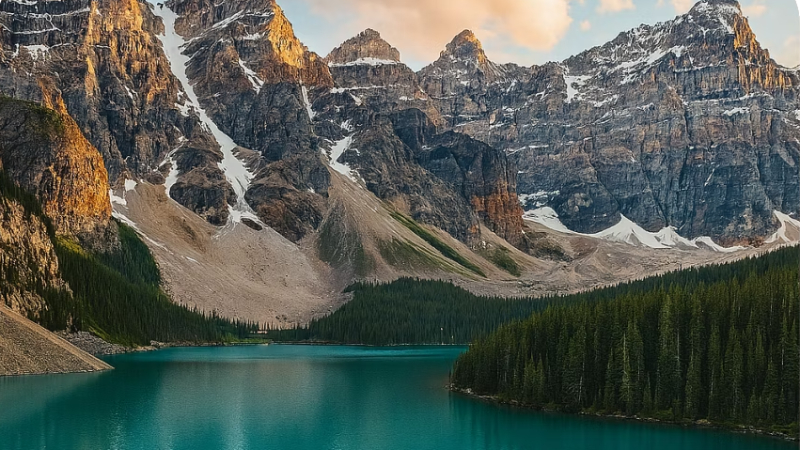
၂။ Photography: လက်တွေ့ဆန်သော AI ပုံရိပ်များ
Photography စတိုင်ဟာ လူသားတွေနဲ့ အရင်းနှီးဆုံးနဲ့ စိတ်ဝင်စားဖို့ အကောင်းဆုံး AI art genres and styles တစ်ခုပါ။ တကယ့်ဓာတ်ပုံတစ်ပုံလို ထွက်လာဖို့ဆိုရင် အောက်ပါ Technical Terms တွေကို သုံးနိုင်ပါတယ် –
- Black and white (အဖြူအမည်း)
- Shallow depth of field (နောက်ခံဝါးခြင်း)
- Golden hour (နေဝင်ရိုးရီ အလင်းအမှောင်)
- Macro lens (အနီးကပ်ရိုက်ချက်)
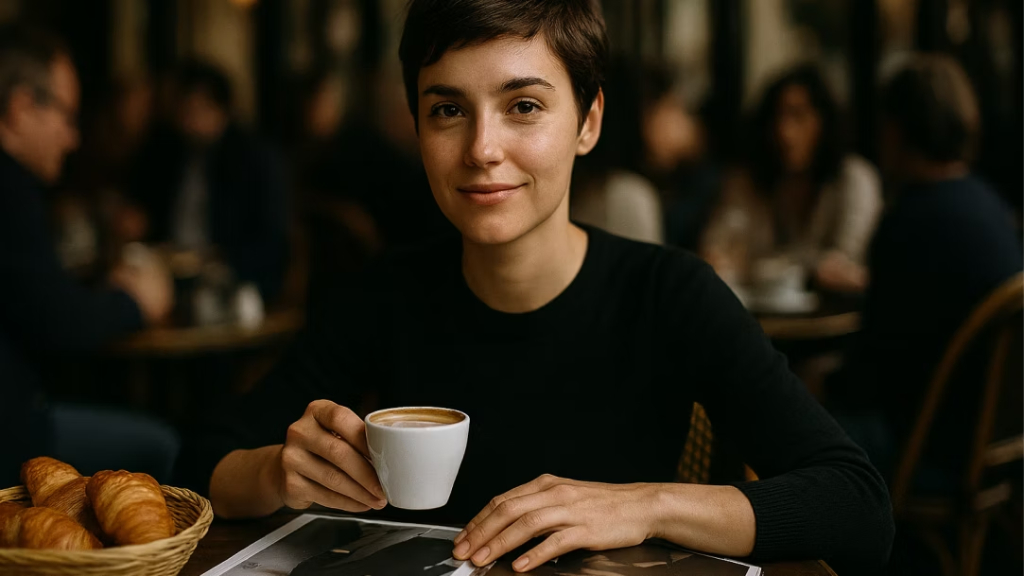
Example Prompt: "Generate a photo-realistic image of a woman sitting at a café, medium shot, holding a coffee with soft lighting, shallow depth of field, and fisheye lens."
၃။ Painting: ဂန္ထဝင်ကနေ ခေတ်သစ်ပန်းချီအထိ
ပန်းချီစတိုင်တွေကတော့ စုတ်ချက်တွေ၊ ဆေးသားတွေနဲ့ ခံစားချက်တွေကို ပိုမိုဖော်ပြနိုင်ပါတယ်။ အောက်ပါ Artistic References တွေကို သုံးကြည့်ပါ –
- Oil painting (ဆီဆေးပန်းချီ)
- Watercolor (ရေဆေးပန်းချီ)
- Renaissance style (ဉရောပ ဂန္ထဝင်စတိုင်)
- Impressionist brush strokes (စုတ်ချက်ကို အသားပေးသောစတိုင်)
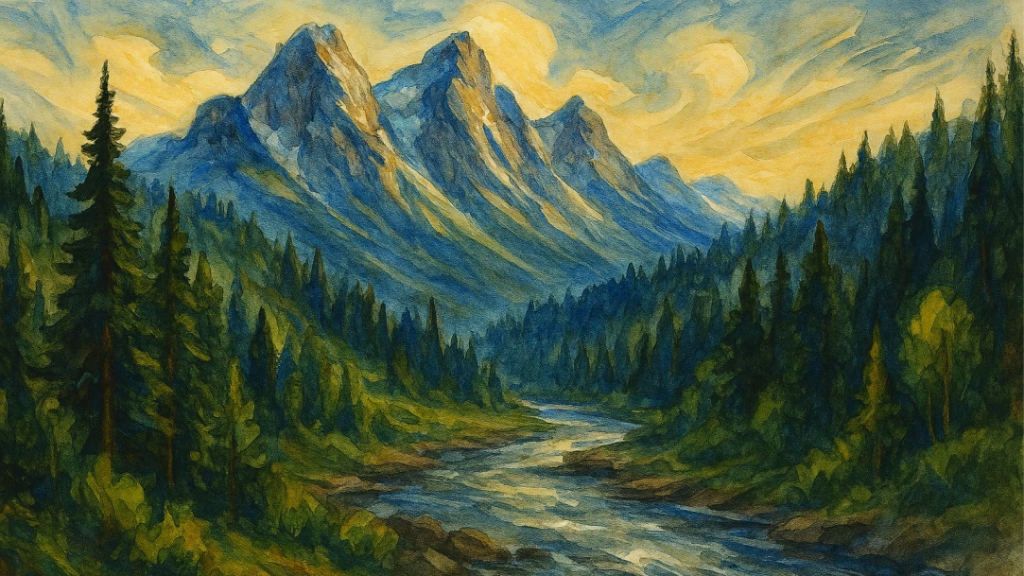
Example Prompt: "Paint a mountainous landscape with lots of trees and a river, watercolor paint, bright colors, wide swirling strokes, Renaissance style, ultra-wide."
၄။ 3D Art: ရုပ်လုံးကြွမှုနှင့် ပစ္စည်းမျက်နှာပြင်များ
3D Art ကတော့ ပစ္စည်းတွေရဲ့ တည်ဆောက်ပုံနဲ့ ပုံသဏ္ဌာန်ကို အသားပေးတာပါ။ အောက်ပါ Keywords တွေကို သုံးနိုင်ပါတယ် –
- Shiny surface (ပြောင်လက်သော မျက်နှာပြင်)
- Reflective glass (ဖန်သားပြင် အလင်းပြန်မှု)
- Metallic finish (သတ္တုသား ပုံစံ)
- Volumetric lighting (အလင်းတန်းများ)
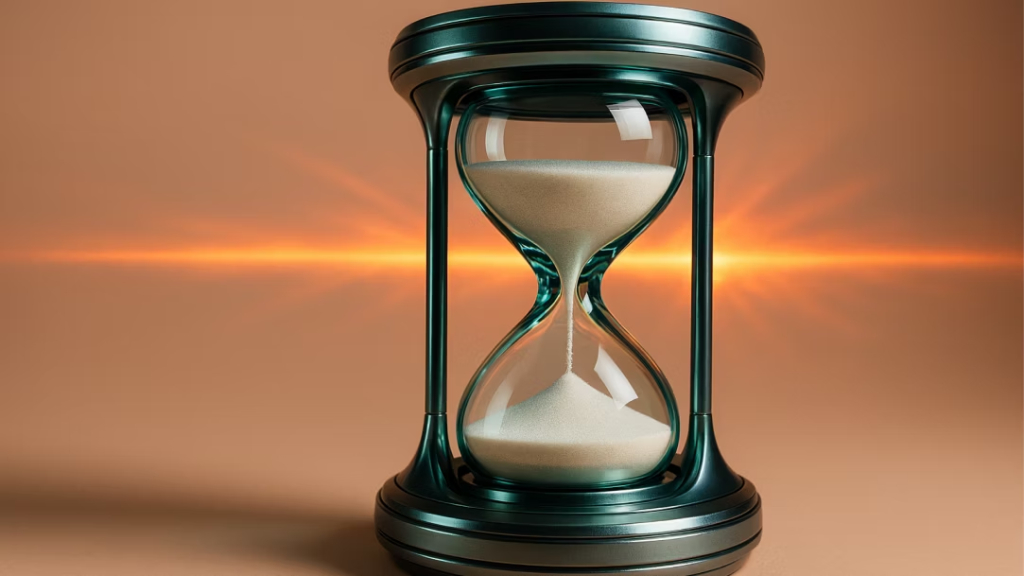
Example Prompt: "Make an image of a shiny futuristic 3D hourglass, beige background, studio lighting set, ultra-wide 20mm lens."
၅။ Animation: ဇာတ်လမ်းဆန်သော Visual များ
Animation (သက်ဝင်လှုပ်ရှားမှု) ပုံစံ Prompt တွေဟာ လှုပ်ရှားမှု၊ ဇာတ်ကောင်တွေရဲ့ အမူအရာနဲ့ ဇာတ်လမ်းသွားတွေကို ပိုမိုအသားပေးပါတယ်။
အောက်ပါ စကားလုံးတွေကို ထည့်သွင်းအသုံးပြုနိုင်ပါတယ် –
- Animated movie scene (ကာတွန်းရုပ်ရှင်ခန်း)
- Expressive character (အမူအရာကြွရွသော ဇာတ်ကောင်)
- Dynamic movement (သွက်လက်သော လှုပ်ရှားမှု)
- Stylized proportions (ပုံမှန်ထက် ထူးခြားသော ကိုယ်ခန္ဓာအချိုးအစား)
- 3D animated lighting (3D ကာတွန်းပုံစံ အလင်းအမှောင်)
- Anime-inspired style (ဂျပန်ကာတွန်းစတိုင်)
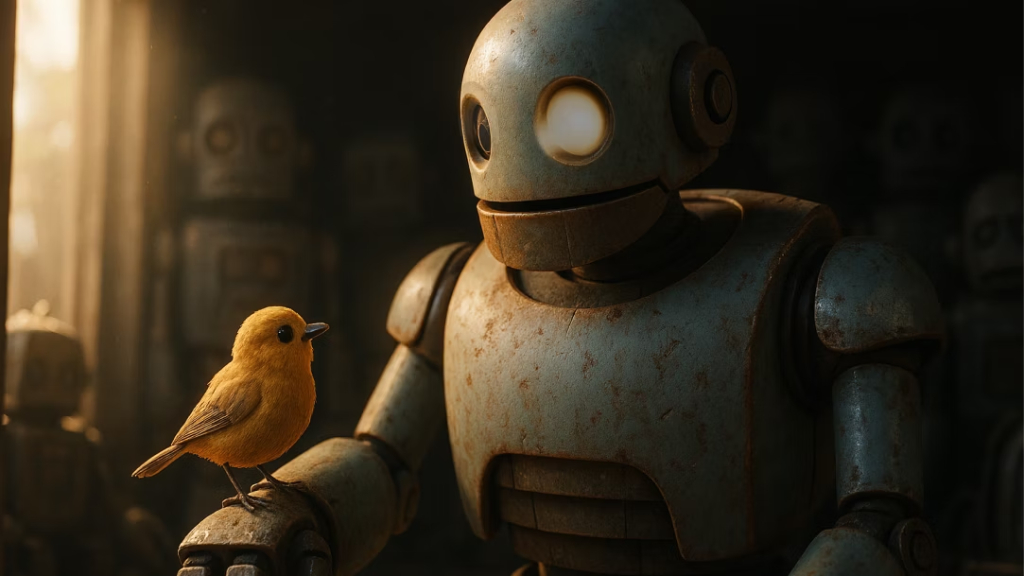
Example prompt: "Create a 3D scene from an animated movie with a robot and a little bird."
Animation စတိုင်တွေက သင့်ရဲ့ ပုံရိပ်တွေကို ပိုပြီး ကစားစရာဆန်စေသလို ဇာတ်လမ်းပြောပြနိုင်စွမ်း (Storytelling energy) ကိုလည်း မြှင့်တင်ပေးပါတယ်။
၆။ Illustrations: လိုင်းကာလာနှင့် ပစ္စည်းမျိုးစုံ
Illustration (သရုပ်ဖော်ပုံ) စတိုင်တွေကတော့ လိုင်းတွေရဲ့ အရည်အသွေးနဲ့ ဆေးသား (Texture) တွေကို စိတ်ကြိုက်ထိန်းချုပ်နိုင်စေပါတယ်။
အောက်ပါ စကားလုံးတွေကို သုံးကြည့်ပါ –
- Pencil sketch (ခဲပန်းချီ)
- Charcoal drawing (မီးသွေးခဲပန်းချီ)
- Fine-line illustration (လိုင်းအနုစိတ်)
- Bold marker style (မာကာစတိုင်)
- Watercolor wash (ရေဆေးဆေးရောင်ခြယ်)
- Ink pen (မှင်ဖောင်တိန်)
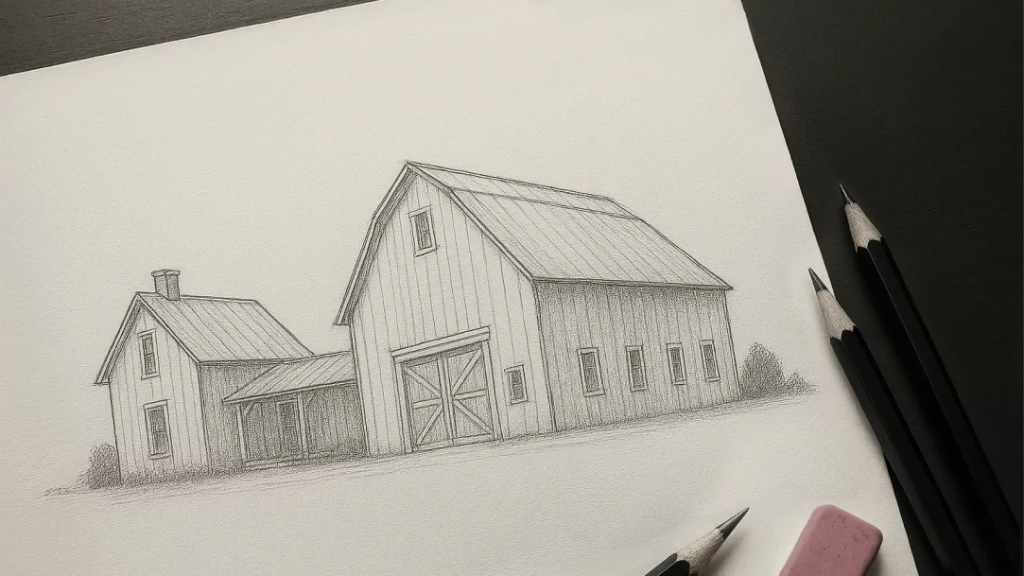
Example prompt: "Draw a thin, delicate pencil sketch of a farmhouse and large barn, soft shading, light cross-hatching, minimalistic composition."
Illustration စတိုင်တွေဟာ Concept Art တွေ၊ ဇာတ်လမ်းသရုပ်ဖော်ပုံတွေနဲ့ ဖန်တီးမှုဆန်တဲ့ ဇာတ်လမ်းပြောပြခြင်းတွေအတွက် အထူးသင့်လျော်ပါတယ်။
စတိုင်များကို ပေါင်းစပ်ဖန်တီးခြင်း (Mix and Match)
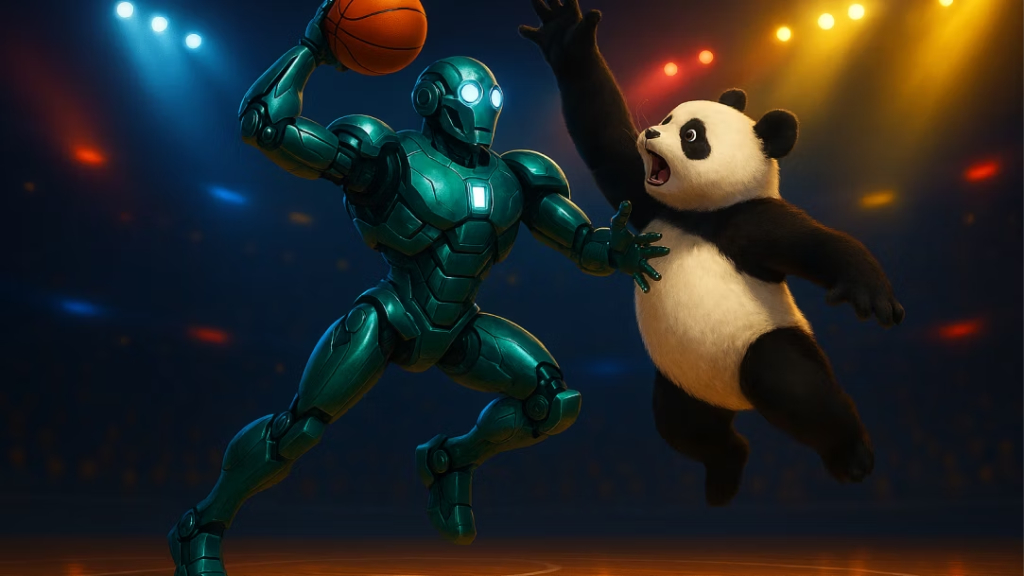
AI ရဲ့ အစွမ်းထက်ဆုံး အချက်တစ်ခုကတော့ မတူညီတဲ့ AI art genres and styles တွေကို တစ်ခုတည်းမှာ ပေါင်းစပ် (Hybrid) လို့ ရတာပါပဲ။
Example hybrid prompt: "Create a 3D brightly colored robot playing basketball with a panda, dramatic lighting, octane render, cinema 4D, closeup shot, retro style."
ပန်းပု (Sculpture) ကို ပန်းချီ (Painting) နဲ့ ပေါင်းစပ်တာမျိုး၊ ဒါမှမဟုတ် ဓာတ်ပုံ (Photography) ကို Animation နဲ့ ရောစပ်တာမျိုးက တခြားသူနဲ့မတူဘဲ ထူးခြားတဲ့ ရလဒ်တွေကို ထွက်ပေါ်လာစေပါတယ်။ ဤသို့ ပေါင်းစပ်ခြင်းက ပုံတူကူးခြင်းထက် ကျော်လွန်ပြီး ကိုယ်ပိုင်ဖန်တီးမှုအသစ်ကို ဖြစ်ပေါ်စေပါတယ်။
ကန့်သတ်ချက်မရှိ စမ်းသပ်ကြည့်ပါ
Copilot ရဲ့ စစ်မှန်တဲ့ စွမ်းအားက စမ်းသပ်မှုတွေပေါ်မှာ မူတည်ပါတယ်။ အခုလိုတွေ စမ်းကြည့်ပါ
- ဓာတ်ပုံ (Photography) ကို ရေဆေးပန်းချီ (Watercolor) အဖြစ် ပြောင်းလဲခြင်း။
- ပန်းချီ (Painting) ကနေ 3D Render အဖြစ် ပြောင်းလဲခြင်း။
- Illustration ကို ရုပ်ရှင်ဆန်တဲ့ အလင်းအမှောင် (Cinematic lighting) နဲ့ ထုတ်ကြည့်ခြင်း
- Anime စတိုင်ကို လက်တွေ့ဆန်တဲ့ ဆေးသား (Realistic textures) နဲ့ ပေါင်းစပ်ခြင်း
စတိုင်များကို ထိရောက်စွာ အသုံးချနိုင်ဖို့ အကြံပြုချက်များ
စတိုင်လ်ကို ကျွမ်းကျင်စွာ ထိန်းချုပ်နိုင်ဖို့အတွက် –
- အသေးစိတ် Keywords သုံးပါ: အနည်းဆုံး ဖော်ပြချက် စကားလုံး ၆ ခုလောက် သုံးကြည့်ပါ။
- အလင်း၊ ခံစားချက်နှင့် အမြင်ကို သတ်မှတ်ပါ: Lighting, Mood နဲ့ Perspective (အမြင်) တွေကို ရှင်းလင်းစွာ ပြောပြပါ။
- ပစ္စည်း သို့မဟုတ် ဆေးသားကို ဖော်ပြပါ: Texture (သို့မဟုတ်) Medium ကို သတ်မှတ်ပေးပါ။
- စတိုင်များကို စနစ်တကျ ပေါင်းစပ်ပါ: မတူညီတဲ့ အမျိုးအစားတွေကို တွေးတွေးဆဆ ပေါင်းစပ်ကြည့်ပါ။
- ထပ်ခါထပ်ခါ ပြင်ဆင်ပါ: ပထမဆုံးထွက်လာတဲ့ ရလဒ်မှာတင် မရပ်လိုက်ပါနဲ့။ စကားလုံးလေးတွေ နည်းနည်းချင်း ပြောင်းပြီး ပြန်ထုတ်ခိုင်းကြည့်ပါ။
Conclusion
AI art genres and styles လောကဟာ အဆုံးမဲ့ ကျယ်ပြောလှသလို စိတ်ကြိုက်ပြောင်းလဲနိုင်စွမ်းလည်း ရှိပါတယ်။ Microsoft Copilot ကို အသုံးပြုပြီး လက်တွေ့ဆန်တဲ့ ဓာတ်ပုံတွေကနေ အနုပညာဆန်တဲ့ ပန်းချီတွေ၊ 3D Art တွေအထိ လွတ်လပ်စွာ ကူးူးလူးပျံသန်းနိုင်ပါတယ်။
တစ်ခုတည်းသော ကန့်သတ်ချက်ကတော့ သင်ပေးလိုက်တဲ့ လမ်းညွှန်ချက် (Prompt) ဘယ်လောက်အထိ တိကျသလဲဆိုတာပါပဲ။ သင်ရဲ့ စတိုင်လ်ဆိုင်ရာ ဝေါဟာရတွေကို တိုးချဲ့ပြီး ရဲရဲဝံ့ဝံ့ စမ်းသပ်ကြည့်ခြင်းအားဖြင့် AI ကို သင့်ရဲ့ အကောင်းဆုံး ဖန်တီးမှုအဖော်မွန် (Creative Partner) တစ်ဦးအဖြစ် ပြောင်းလဲလိုက်ပါ။
If you are interested in or want to learn more about Microsoft 365 and other products, Thetys Myanmar You can contact us to discuss details.
reference website : Fusion Solution, Fusion Solution Vietnam
Related Articles
- Nvidia PersonaPlex ဆိုတာဘာလဲ? ဘာတွေထူးခြားသလဲ
- ဇာတ်ကောင်တွေကို စက္ကန့်ပိုင်းအတွင်း Microsoft Copilot နဲ့ AI Character ဖန်တီးနည်း
- GPT-5.3 Codex Spark: OpneAI ရဲ့ အမြန်ဆုံး Real-Time Coding AI
- Ads in ChatGPT: ကိုယ်ရေးလုံခြုံမှုနှင့် သီးခြားလွတ်လပ်သော အဖြေများ
- OpenAI ရဲ့ စွမ်းရည်မြင့် AI Agent – GPT-5.3 Codex မိတ်ဆက်
- ခေတ်သစ် Data Platform Microsoft Fabric ရဲ့ အားသာချက်များ
Fusionsol blog in Thai
- Microsoft 365 คืออะไร?
- What is Azure AI Foundry Labs?
- Power BI Free Plan: A Deep Dive into Microsoft’s BI Solution
- Fusion Solution – Migrating Email to Microsoft 365