
Microsoft ကအသစ်ထုတ်ပေးထားတဲ့ Copilot ရဲ့ GPT-5 Ha AI နည်းပညာရဲ့ နောက်ဆုံးပေါ်ထွက်စဉ်အဖြစ် Microsoft 365 App တွေ၊ Developer Tools တွေထဲမှာ တိုက်ရိုက် ထည့်သွင်းအသုံးပြုနိုင်အောင် ဖန်တီးပေးထားပါတယ်။
အလုပ်တွေ ပိုပြီး မြန်ဆန်စွာ လုပ်ဆောင်နိုင်ဖို့၊ အချိန်မကုန်ဘဲ အရည်အသွေးကောင်းမွန်တဲ့ Result တွေ ထွက်ပေါ်အောင် This GPT-5 to တိုးတက်သုံးနိုင်မှာ ဖြစ်ပါတယ်။
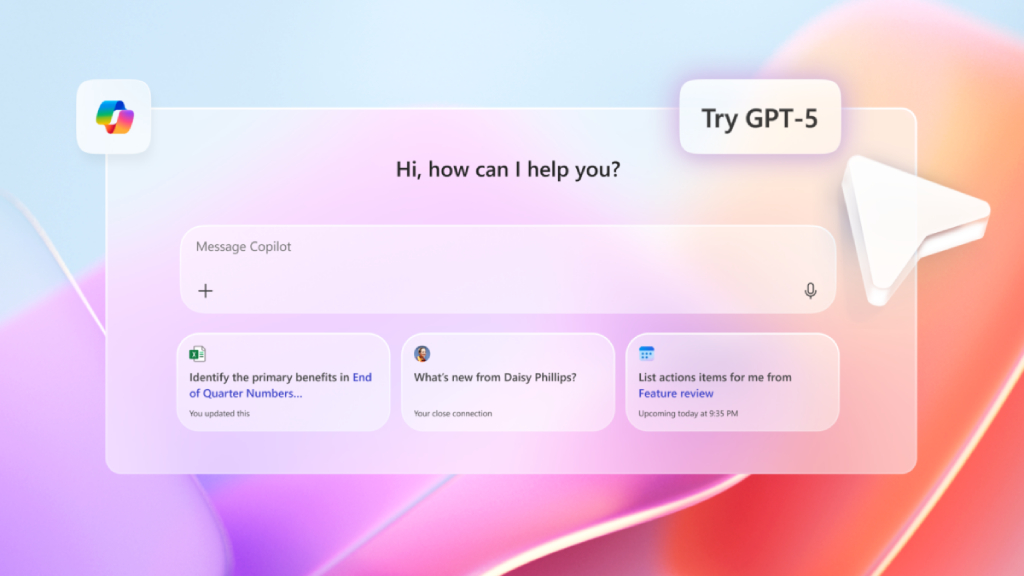
Copilot ရဲ့ GPT-5 နဲ့ သုံးလို့ရမယ့် အဓိက Features
1. Office Productivity (Word, Excel, Outlook, PowerPoint)
- Word မှာ အ automático အကျဉ်းချုပ်ရေးပေးနိုင်တယ်
- Excel မှာ formula လိုအပ်ချက်တွေကို natural language နဲ့ ရှင်းပြပြီး တိုက်ရိုက်တွက်ပေးနိုင်တယ်
- Outlook မှာ email ကို draft, summarize, respond အဖြစ် ချက်ချင်းလုပ်နိုင်တယ်
- PowerPoint မှာ AI-generated slides နဲ့ design တိုက်ရိုက်ထုတ်ပေးနိုင်တယ်
2. Coding & Development
- Visual Studio Code နဲ့ GitHub Copilot တို့မှာ GPT-5 သုံးပြီး အဆင့်မြင့် code generation, bug fixing, debugging တို့ကို support ပေးနိုင်တယ်
- Complex algorithms နဲ့ system architecture suggestion အထိ AI က တိုက်ရိုက်ထောက်ပံ့နိုင်တယ်
3. Data Analysis & Business Intelligence
- Natural language query နဲ့ Excel PivotTables, Power BI dashboards တွေကို generate လုပ်ပေးနိုင်တယ်
- ဒေတာတွေကို အလိုအလျောက် စုဆောင်း၊ သုံးသပ်ပြီး Report လုပ်ပေးနိုင်တယ်
4. Creative Content Generation
- Blog, Article, Marketing Copy, Design Idea တို့ကို အချိန်တိုတောင်းဆုံးနဲ့ Generate လုပ်နိုင်တယ်
- Multimodal AI အနေနဲ့ Text + Image အရော AI creation ကိုလည်း ထောက်ပံ့ပေးတယ်
5. Automation & Workflow Optimization
- Microsoft Teams နဲ့ Dynamics 365 မှာ task automation တွေကို ဆောင်ရွက်နိုင်တယ်
- Schedule meetings, summarize discussions, assign tasks စတဲ့ repetitive jobs တွေကို အလိုအလျောက် လုပ်ပေးနိုင်တယ်
Copilot ရဲ့ GPT-5 ကဘာတွေ သုံးလို့ရမလဲ?
1. Developer တွေအတွက်
- Code Generation & Debugging – Programming Language မျိုးစုံအတွက် အလိုအလျောက် Code ထုတ်ပေးနိုင်ပြီး Bug တွေကိုလည်း Auto Fix အနည်းဆုံး အကြံပေးနိုင်ပါတယ်။
- API Integration အဆင်ပြေစေမှု – GPT-5 က API Documentation တွေကို နားလည်စေပြီး Integration အလွယ်တကူ လုပ်နိုင်ပါတယ်။
- AI Pair Programming – Developer တစ်ယောက်နဲ့ အတူ Coding လုပ်သလို အမြန်ပြီး အမှားနည်းတဲ့ Software Development လုပ်နိုင်စေပါတယ်။
2. Office Worker & Content Creator တွေအတွက်
- Document Writing & Editing – Word, Outlook, PowerPoint တို့ထဲမှာ Content Suggestion, Auto Summary, Slide Design အထိ ထောက်ပံ့ပေးနိုင်ပါတယ်။
- Data Analysis – Excel မှာ Copilot ရဲ့ GPT-5 ကို အသုံးပြုပြီး ရှုပ်ထွေးတဲ့ Data ကို အလွယ်တကူ ချုပ်ဆွေးနိုင်ပါတယ်။
- Email Management – အစ Meeting Notes အထိ အလိုအလျောက် Generate လုပ်ပေးနိုင်ပါတယ်။
3. Business & Decision Makers အတွက်
- Market Research & Trend Analysis – လိုအပ်သလို Market Data တွေကို စုဆောင်းပြီး အကျဉ်းချုပ်ပေးနိုင်ပါတယ်။
- Report Generation – Company Report, Financial Report တို့ကို အချိန်တိုအတွင်း Generate လုပ်ပေးနိုင်ပါတယ်။
- Workflow Automation – Manual Task တွေကို AI က အလိုအလျောက် လုပ်ပေးနိုင်တဲ့အတွက် အလုပ်အချိန် တိုးတက်စေပါတယ်။
ဘယ်သူတွေ သုံးနိုင်မလဲ?
- Developer / Software Engineer
- Office Worker / Project Manager
- Data Analyst / Business Analyst
- Startup Founder & Business Leader
မည်သူမဆို Microsoft 365, GitHub Copilot, Visual Studio Code တို့ကို သုံးနေသူတွေ အတွက် GPT-5 Integration ကို တိုက်ရိုက်အသုံးချနိုင်ပါတယ်။
Summary
Copilot ရဲ့ GPT-5 က AI နည်းပညာရဲ့ နောက်တစ်ဆင့် တိုးတက်မှုအဖြစ် Productivity တိုးတက်စေဖို့၊ အချိန်ကုန်သက်သာစေဖို့၊ Quality Result တွေ ပေးဖို့ အထူးပြင်ဆင်ထားပါတယ်။ Developer တွေကနေ စီးပွားရေးလုပ်ငန်းအထိ မည်သူမဆို လိုအပ်သလို အသုံးချနိုင်ပြီး သင့်အလုပ်စဉ်အတွင်း အဖိုးတန်ကူညီမှု ပေးနိုင်မယ့် နည်းပညာတစ်ခု ဖြစ်လာပါမယ်။
If you are interested in or want to learn more about Microsoft 365 and other products, Thetys Myanmar You can contact us to discuss details.
reference website : Fusion Solution, Fusion Solution Vietnam
Related Articles
- With Copilot 3D, you can now turn 2D images into 3D models with just one click.
- Microsoft Excel's New Function – Copilot() Function
- The difference between Chatgpt and Copilot: When should you use which AI?
- GPT-5 for Developers: Developer များအတွက် OpenAI ရဲ့ GPT-5
- Jarviz: Easy and highly secure check-in system
- GPT 5 — The best and fastest AI model produced by OpenAI in 2025