
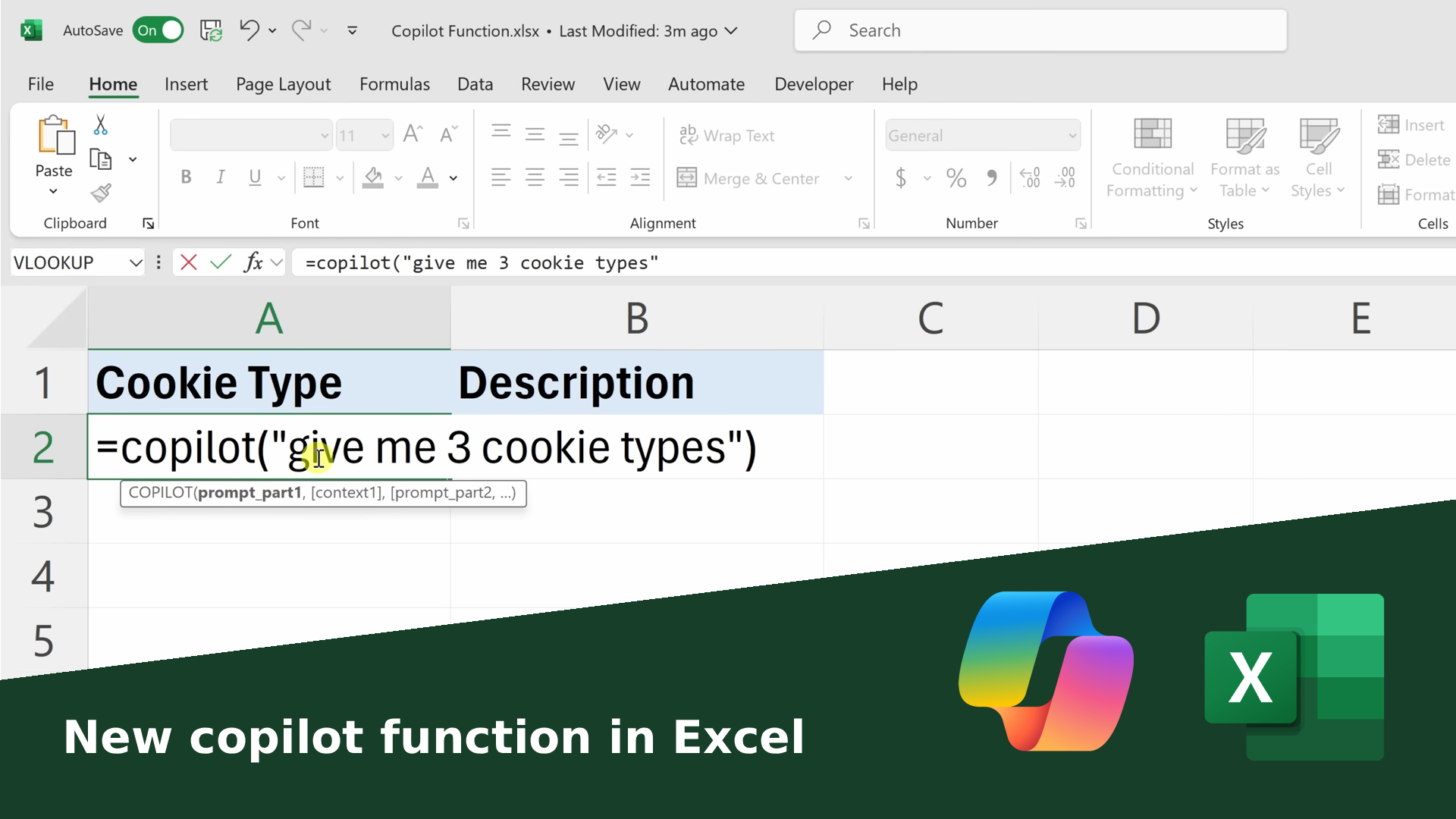
Microsoft က Excel မှာ နောက်ထပ် feature အသစ်တစ်ခုအဖြစ် Copilot() Function to ထုတ်လွှင့်လိုက်ပါတယ်။ This AI-powered Function အသစ်ဟာ Excel ရဲ့ Cell ထဲမှာ တိုက်ရိုက် built-in လုပ်ထားတဲ့ အစွမ်းထက် AI and Data Analysis, Classification, Summary စတာတွေကို သာမာန် စကား (Natural Language) နဲ့ အလွယ်တကူ လုပ်ဆောင်နိုင်စေပါတယ်။
Copilot() Function ဆိုတာဘာလဲ?
Copilot() Function ရဲ့ အဓိကဟာ Formula =COPILOT() ပါ။
အသုံးပြုသူက Natural Language (မြန်မာ/အင်္ဂလိပ် စကား) နဲ့ ရိုက်ထည့်ပေးလိုက်တာနဲ့ GPT-4.1-mini model က process လုပ်ပြီး Excel Cell ထဲမှာ တိုက်ရိုက် အဖြေ ပြန်ပေးပါတယ်။
✔ Input – Natural Language Command + Cell Reference
✔ Output – Formula, Summary, Table, Classification
✔ Auto update – Data ပြောင်းလဲတိုင်း အဖြေကို အလိုအလျောက် Refresh
ဥပမာအသုံးပြုပုံ
=COPILOT(" Classify this feedback" , D4:D18)
ဒီစကားရပ်လေးတစ်ကြောင်းနဲ့ပဲ Excel က D4 မှ D18 ထဲက Feedback တွေကို
Positive / Negative / Neutral ဆိုပြီး အလိုအလျောက် ခွဲပေးနိုင်ပါတယ်။
အသုံးပြုနိုင်သည့် Use Cases
- 🏷 Customer Feedback Classification → အမြန်ဆုံး Positive / Negative / Neutral သတ်မှတ်ပေး
- 📊 Summary → "Summarize sales trends by region" လို စကားပြောလိုပဲ ရေးရုံနဲ့ အကျဉ်းချုပ် ထုတ်ပေးနိုင်
- 🧹 Data Extraction → messy data ထဲက Phone Number, Email, Category တို့ကို ထုတ်ယူပေးနိုင်
- 🔗 Formula Integration → IF(), LAMBDA(), WRAPROWS() တို့နဲ့ပေါင်းပြီး Workflow အားကောင်းစေ
Copilot() Function ရဲ့ အကျိုးကျေးဇူး
- ⚡ Native Integration – Excel ထဲမှာ တိုက်ရိုက် built-in, Result ကို Dynamic Update
- 💬 Natural Language Input – Formula မကျွမ်းကျင်သူတွေလည်း စကားပြောလိုပဲ သုံးနိုင်
- ⏱ Time Efficiency – Data Cleaning, Formatting အချိန်များ လျော့ချနိုင်
- 🔒 Privacy – User Input ကို Training Data အဖြစ် မသုံး
- 🔄 Flexible – Standard Excel Function တွေနဲ့ အလွယ်တကူပေါင်းသုံးနိုင်
အရေးကြီးတဲ့ ကန့်သတ်ချက်များ
| ကန့်သတ်ချက် | Description |
| 🌐 အပြင် Data မသုံးနိုင် | Excel Sheet ထဲက Data သာ အသုံးပြုနိုင် |
| ⏳ Usage Limit | ၁၀ မိနစ်အတွင်း Usage အများဆုံး ၁၀၀ ကြိမ် |
| 📉 Numerical Accuracy မလုံလောက် | ငွေကြေး၊ စည်းမျဉ်းအခြေခံ Calculation အတွက် မသင့် |
| 🪪 Copilot License လိုအပ် | Microsoft 365 Copilot Subscription (Beta Channel) အတွက်သာ သုံးနိုင် |
ဘာကြောင့် ဂရုစိုက်ဖို့ အရေးကြီးသလဲ?
အရင်က Excel ကို သုံးတဲ့အခါ formula တွေကို တိကျစွာ ရိုက်ထည့်ရပြီး အချိန်စားခဲ့ပါတယ်။
Now =COPILOT() နဲ့ Excel ကို Formula-based Tool မှ Language-based Tool အဖြစ် ပြောင်းပေးလိုက်ပါပြီ။
👉 နည်းပညာမကျွမ်းကျင်သူတွေလည်း စကားလုံးနဲ့ပဲ Data Analysis / Idea Brainstorming / Feedback Summary တွေ လုပ်နိုင်သလို Developer တွေအတွက်လည်း Workflow တိုက်ရိုက်တိုးတက်စေပါတယ်။
အသုံးပြုနည်း Example များ
1. Customer Feedback Labeling
=COPILOT(" Label these as Positive, Negative, or Neutral" , B2:B50)
2. Sales Summary
=COPILOT(" Summarize total sales by region" , D2:D200)
3. Extract Phone Numbers
=COPILOT(" Extract phone numbers from these notes" , A2:A100)
4. Brainstorm Product Names
=COPILOT(" Suggest 10 product names for a new fitness app" )
Google Sheets AI Tool နဲ့ နှိုင်းယှဉ်မှု
| Point | Excel Copilot | Google Sheets Explore |
| Integration | Built in Formula =COPILOT() | Sidebar Suggestion |
| Input | Natural Language in Cell | Explore Box မှာ ရိုက် |
| Result | Dynamic Update in Cell | Visual Suggestion Only |
| Flexibility | IF, LAMBDA နဲ့ ပေါင်းသုံးနိုင် | Limited Customization |
| Availability | Microsoft 365 Copilot (Beta) | Google Workspace |
➡️ ဆိုတော့ Excel Copilot Function ဟာ Excel Workflow ထဲမှာ တိုက်ရိုက် အသုံးဝင်ပြီး Google Sheets Explore ထက် ပိုပြီး Dynamic & Flexible ဖြစ်ပါတယ်။
Conclusion
Excel Copilot() Function က Microsoft နဲ့ OpenAI ရဲ့ GPT-4.1-mini တို့ပေါင်းစပ် တည်ဆောက်ထားပြီး Natural Language နဲ့ Excel ကို အသုံးချနိုင်တဲ့ အခွင့်အလမ်း အသစ်တွေ ဖန်တီးပေးပါတယ်။
✔ Feedback Classification
✔ Sales Summary
✔ Data Cleaning
✔ Brainstorming
တစ်ခုထဲနဲ့ အားလုံးကို Auto Update, Dynamic Integration နဲ့ ဆောင်ရွက်နိုင်မယ့် AI-powered Formula အသစ်ပဲ ဖြစ်ပါတယ်။
If you are interested in or want to learn more about Microsoft 365 and other products, Thetys Myanmar You can contact us to discuss details.
reference website : Fusion Solution, Fusion Solution Vietnam
Related Articles
- The difference between Chatgpt and Copilot: When should you use which AI?
- GPT-5 for Developers: Developer များအတွက် OpenAI ရဲ့ GPT-5
- Jarviz: Easy and highly secure check-in system
- GPT 5 — The best and fastest AI model produced by OpenAI in 2025
- Boosting Creativity Using Microsoft 365 Tools
- What is AI Prompt and how does it work?