ChromeOS 104 launches with a cool new dark theme and automatic transitions
Google ရဲ့ ChromeOS အတွက် နောက်ဆုံး မွမ်းမံမှု အသစ်ကို ယခု အပတ်မှာ အသုံးပြုသူတွေ အတွက် စတင် ဖြန့်ချိနေပြီ ဖြစ်ပြီး ၎င်းရဲ့ features အသစ်တွေ ထဲမှ တစ်ခုမှာ 9to5Google မှ ဖော်ပြထားတဲ့ အတိုင်း အမိုက်စား dark theme သို့ ပြောင်းလဲခြင်း အတွက် အထောက်အပံ့ ပဲ ဖြစ်ပါတယ် ။
စမ်းသပ် နေစဉ်တွင် developer flags တွေ နောက်ကွယ်မှာ ယခင်က ဝှက်ထား ခဲ့ပြီး၊ ၎င်းဟာ အခြား Google ထုတ်ကုန်တွေမှာ ပိုမို ထွက်ပေါ်လာတဲ့ dark mode settings တွေ နောက်မှာ နောက်ဆုံး ChromeOS 104 တွင် တရားဝင် ပွဲဦးထွက် ပြသခဲ့ ပါတယ်။
ထပ်ပြီးရောက်ရှိလာမယ့် feature ကို ဖော်ပြတဲ့ Google blog post မှာ ၊ dark theme အသစ်ဟာ “ညဘက် (သို့မဟုတ်) အလင်းရောင် အားနည်းတဲ့ အချိန်တွေမှာ စာဖတ်ဖို့ နှင့် ပါဝါ ချွေတာဖို့ ” ကို ပိုမို လွယ်ကူစေမယ်ဟု ကုမ္ပဏီက ပြောကြား ထားပြီး light theme သို့ ပြောင်းခြင်းဟာ UI နှင့် wallpaper တစ်ခုလုံးကို ပြောင်းလဲစေမှာပဲ ဖြစ်ပါတယ် ။
ထိုအရာတွေကို ” bright and airy ” ဖြစ်အောင် ယခုအချိန် အထိ၊ ChromeOS မှာ မျက်နှာပြင် အရောင် ပြောင်းခြင်းဖြင့် screen ကို အလင်းရောင် မှိန်မှိန်လေးမှာ ကြည့်နိုင်စေဖို့ အတွက် ၎င်းရဲ့ software တွင် ” Night Light ” setting ကိုပါ ထည့်သွင်း ထားပါတယ်။
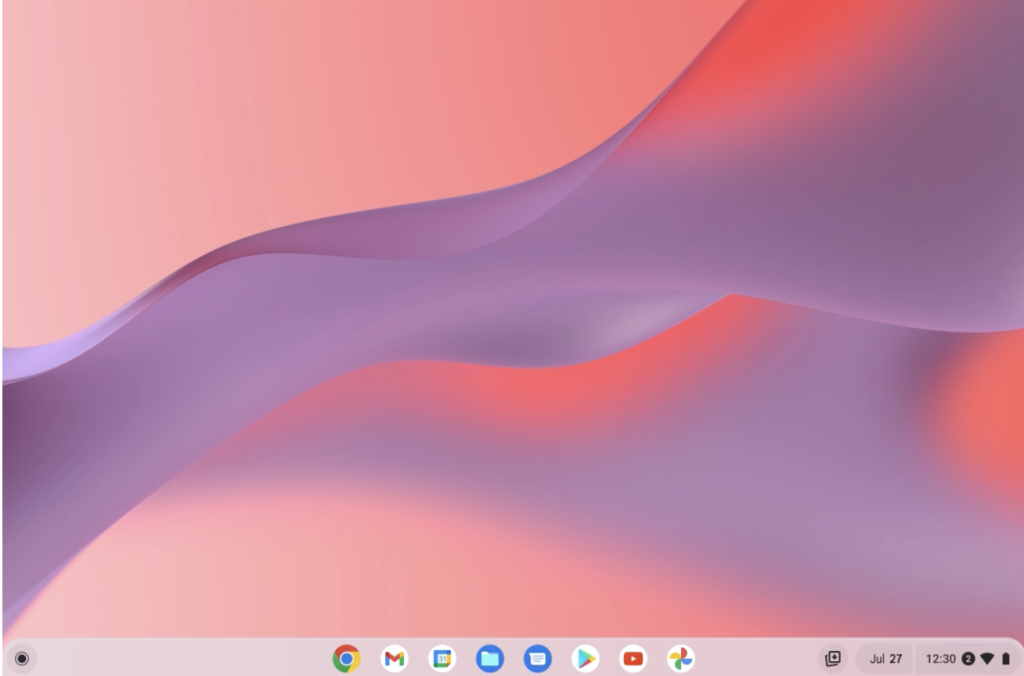
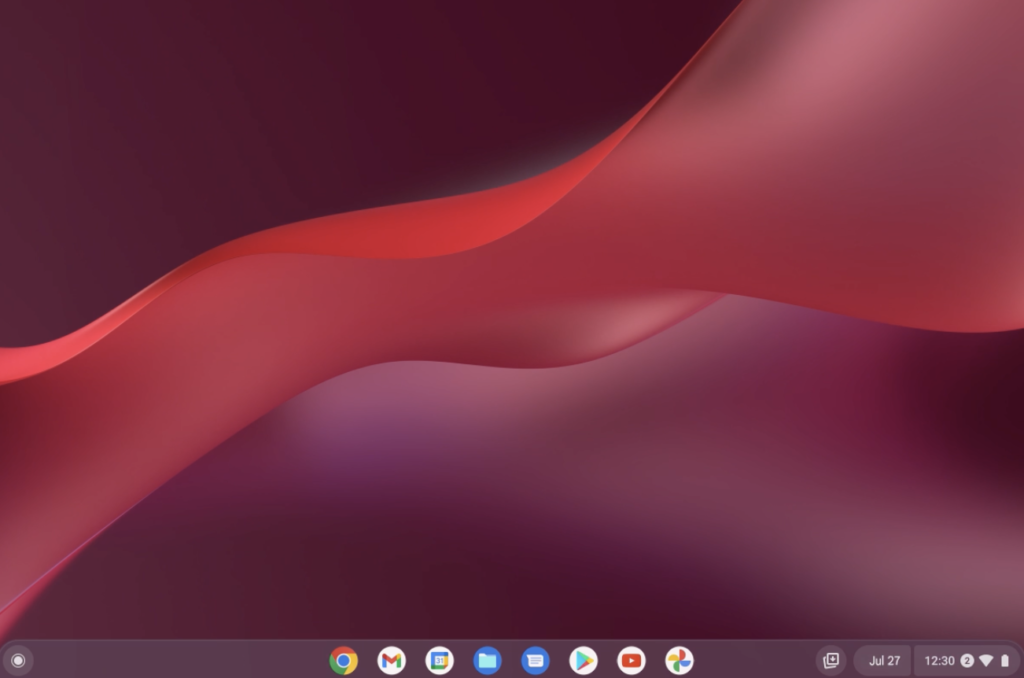
ChromeOS 104 Light and Dark Mode come with their own wallpapers . Image: Google
ChromeOS 104 မှာ နေ့ရဲ့ အချိန်ပေါ် မူတည်၍ light theme နှင့် dark theme ကြားရှိ ၎င်းရဲ့ color scheme ကို အလိုအလျောက် ပြောင်းဖို့ “auto” setting ပါရှိပြီး ၎င်းနှင့်အတူ လိုက်ဖက်တဲ့ wallpaper options တွေ အပြည့်အစုံ ပါရှိ ပါတယ်။
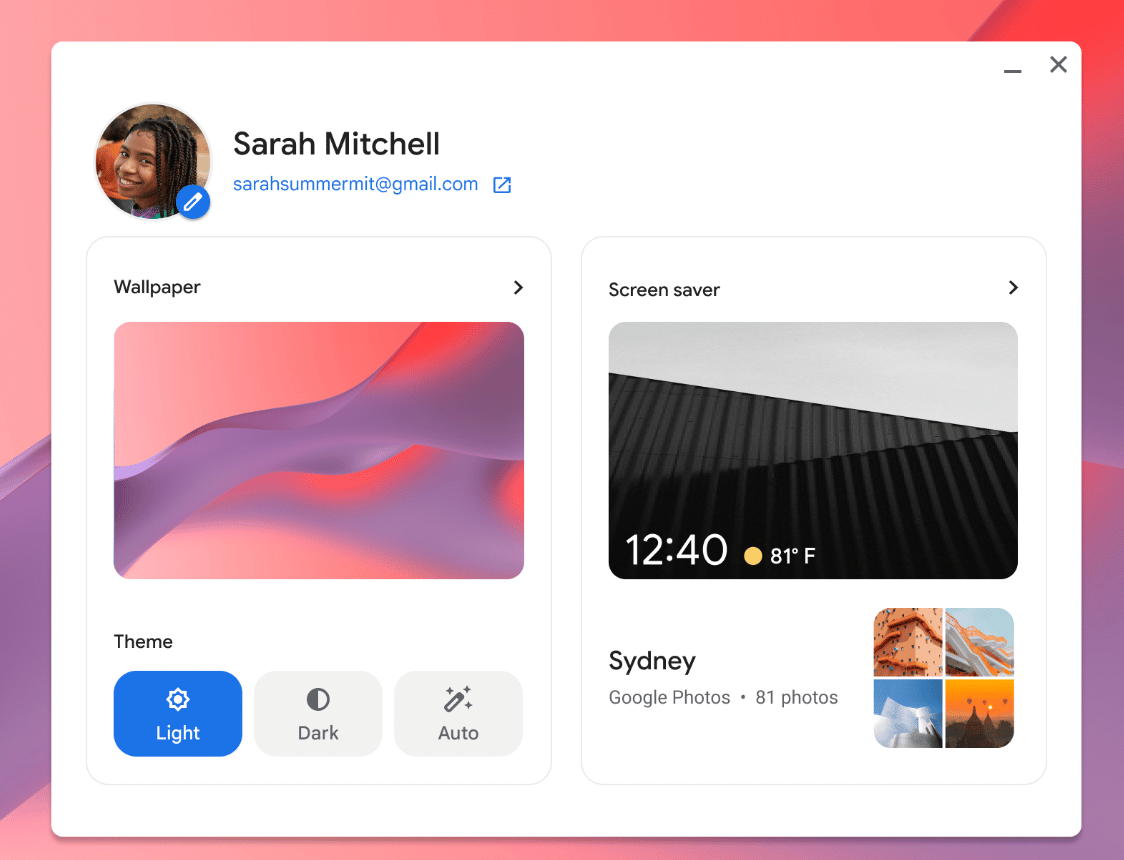
You have the options of light, dark, and auto mode. Image: Google
ဒီမှာ ChromeOS 104 တွင် display theme ကို ဘယ်လို ပြောင်းလဲ နိုင်တယ် ဆိုတာကို ဖော်ပြ ပေးထားပါတယ်။
- Settings သို့ သွားပါ။
- Personalization ကို ရွေးပါ။
- Set your wallpaper & style ကို ရွေးပါ။
- နှစ်သက်ရာ ပေါ်မူတည်၍ Light ၊ Dark ဒါမှမဟုတ် Auto mode ကို ရွေးချယ်ပါ။
touchpad ကို လက်နှစ် ချောင်းဖြင့် နှိပ်ပြီး option ကို ရွေးချယ်ခြင်းဖြင့် home screen မှတဆင့် Wallpaper & Style settings တွေကို ဝင်ရောက် နိုင်ပါတယ်။.
Reference: The Verge
Thetys Co.,Ltd website နှင့် Thetys Facebook တွင် အခြားသော IT နဲ့ပတ်သတ်သော Knowledge များကိုလဲ လေ့လာဖတ်ရှုနိုင်ပါသည်။