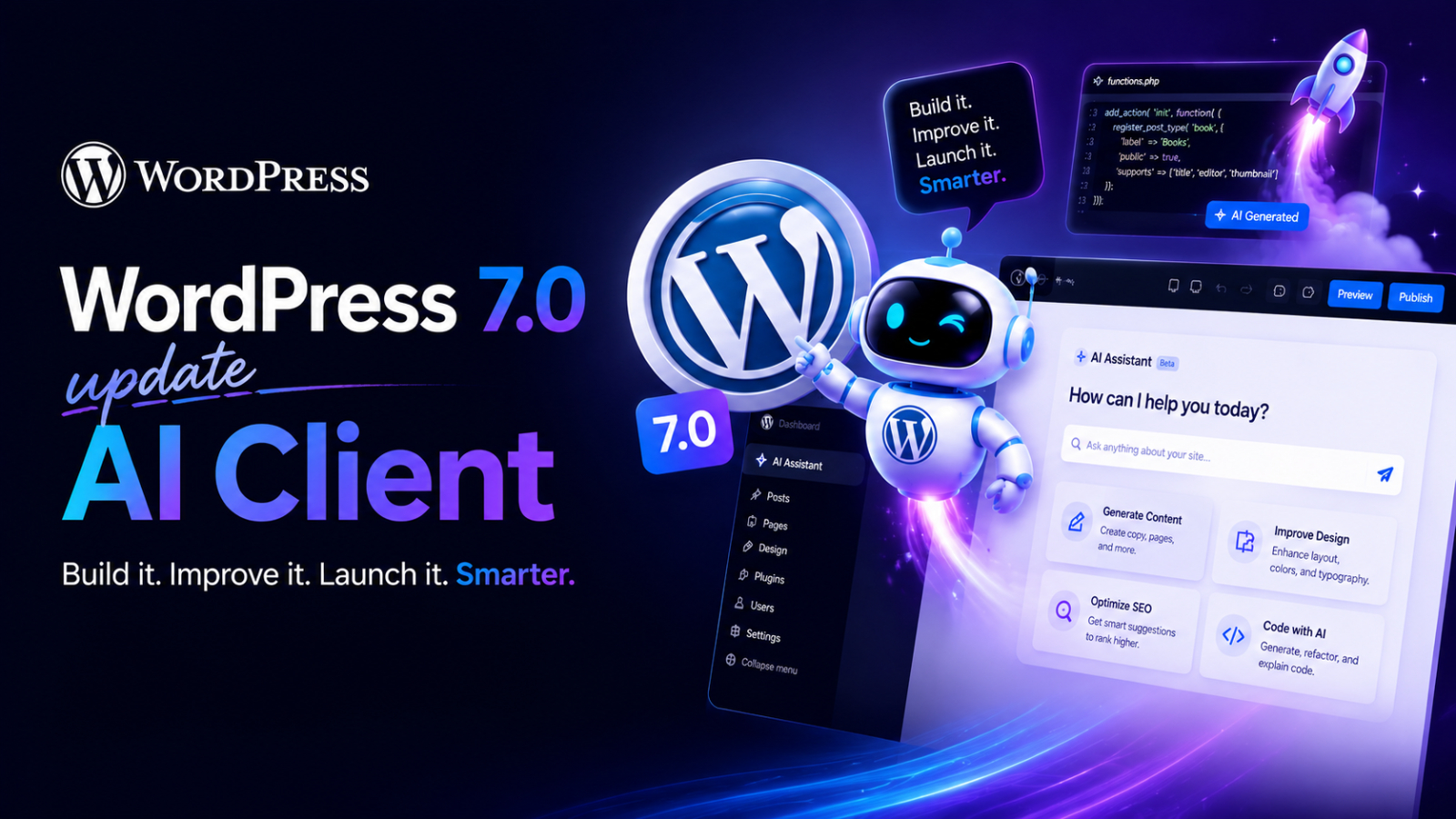
Artificial Intelligence (AI) ဟာ modern web development မှာ အရေးအကြီးဆုံး technologies တွေထဲက တစ်ခုဖြစ်လာနေပါတယ်။ AI-powered content creation, intelligent automation နဲ့ personalized user experiences တွေ တိုးလာတာနဲ့အမျှ websites တွေဟာ traditional publishing platforms အဆင့်ကနေ ပိုပြီး smart systems တွေအဖြစ် ပြောင်းလဲလာနေပါတယ်။ ဒီ AI transformation ကို support လုပ်ဖို့ WordPress 7.0 မှာ AI Client ဆိုတဲ့ feature အသစ်ကို မိတ်ဆက်လိုက်ပါတယ်။
ဒီ feature ရဲ့ ရည်ရွယ်ချက်ကတော့ developers, plugin creators နဲ့ website owners တွေအတွက် AI services တွေကို WordPress environment ထဲမှာ standardized နည်းလမ်းနဲ့ integrate လုပ်နိုင်ဖို့ ဖြစ်ပါတယ်။ အရင်လို third-party AI integrations တွေကို တစ်ခုချင်းစီ separate တည်ဆောက်ရတာမျိုးမဟုတ်တော့ဘဲ AI Client က WordPress ecosystem အတွင်း AI models နဲ့ services တွေကို unified framework တစ်ခုအဖြစ် ချိတ်ဆက်ပေးနိုင်လာပါတယ်။
AI Client ဆိုတာ ဘာလဲ?
AI Client ဆိုတာ WordPress 7.0 မှာ မိတ်ဆက်ထားတဲ့ framework အသစ်တစ်ခုဖြစ်ပြီး developers တွေက AI services တွေကို WordPress websites နဲ့ applications တွေထဲမှာ ပိုမိုလွယ်ကူစွာ ချိတ်ဆက်နိုင်ဖို့ ရည်ရွယ်ထားပါတယ်။
အရင်က developers တွေဟာ AI provider တစ်ခုချင်းစီအတွက် separate integrations တည်ဆောက်ရပြီး plugins နဲ့ themes တွေကြား workflows မတူညီတာတွေ ဖြစ်တတ်ပါတယ်။ AI Client ကတော့ ဒီ process ကို standardize လုပ်ပေးပြီး WordPress အတွင်း AI interactions တွေအတွက် common interface တစ်ခု ပေးထားပါတယ်။
ဒါကြောင့် developers တွေဟာ AI capabilities တွေကို ပိုမို efficiently integrate လုပ်နိုင်သလို AI providers အမျိုးမျိုးနဲ့ compatibility ကိုလည်း ထိန်းထားနိုင်ပါတယ်။
ဒီ system ကို အောက်ပါ use cases တွေအတွက် အသုံးပြုနိုင်ပါတယ်။
- AI content generation
- Automated summaries
- AI-powered assistants
- Translation workflows
- Smart search experiences
- Workflow automation
AI features တွေကို အစကနေ ပြန်တည်ဆောက်စရာမလိုတော့ဘဲ AI Client ကို shared infrastructure layer တစ်ခုလို အသုံးပြုနိုင်လာတာ ဖြစ်ပါတယ်။
ဘာကြောင့် AI Client က အရေးကြီးတာလဲ?
WordPress ecosystem ဟာ internet ရဲ့ အစိတ်အပိုင်းကြီးတစ်ခုကို power လုပ်ပေးနေပြီး
- Blogs
- Business websites
- E-commerce stores
- Educational platforms
- Enterprise publishing systems
တို့မှာ အသုံးများပါတယ်။
AI tools တွေ ပိုမိုအသုံးများလာတာနဲ့အမျှ developers တွေက အောက်ပါ challenges တွေကို ရင်ဆိုင်နေရပါတယ်။
| Challenge | Impact |
| Different AI APIs | Integration complexity |
| Inconsistent workflows | Development inefficiency |
| Plugin compatibility issues | Poor user experience |
| Repeated implementation work | Maintenance ပိုများလာခြင်း |
AI Client ကတော့ unified AI integration approach တစ်ခု ဖန်တီးပြီး ဒီပြဿနာတွေကို ဖြေရှင်းပေးဖို့ ရည်ရွယ်ထားပါတယ်။
ဒါကြောင့် plugin developers နဲ့ businesses တွေဟာ infrastructure ကို ထပ်ခါထပ်ခါ ပြန်မတည်ဆောက်ဘဲ AI features တွေကို ပိုမြန်မြန် adopt လုပ်နိုင်လာပါတယ်။
AI Client ရဲ့ အဓိက Features များ
Standardized AI Integration
AI Client က AI services တွေကို consistent interface တစ်ခုနဲ့ connect လုပ်နိုင်စေတဲ့ standardized framework ဖြစ်ပါတယ်။ ဒါကြောင့် plugin development ပိုလွယ်ကူပြီး compatibility ပိုကောင်းလာပါတယ်။
Multi-Provider AI Support
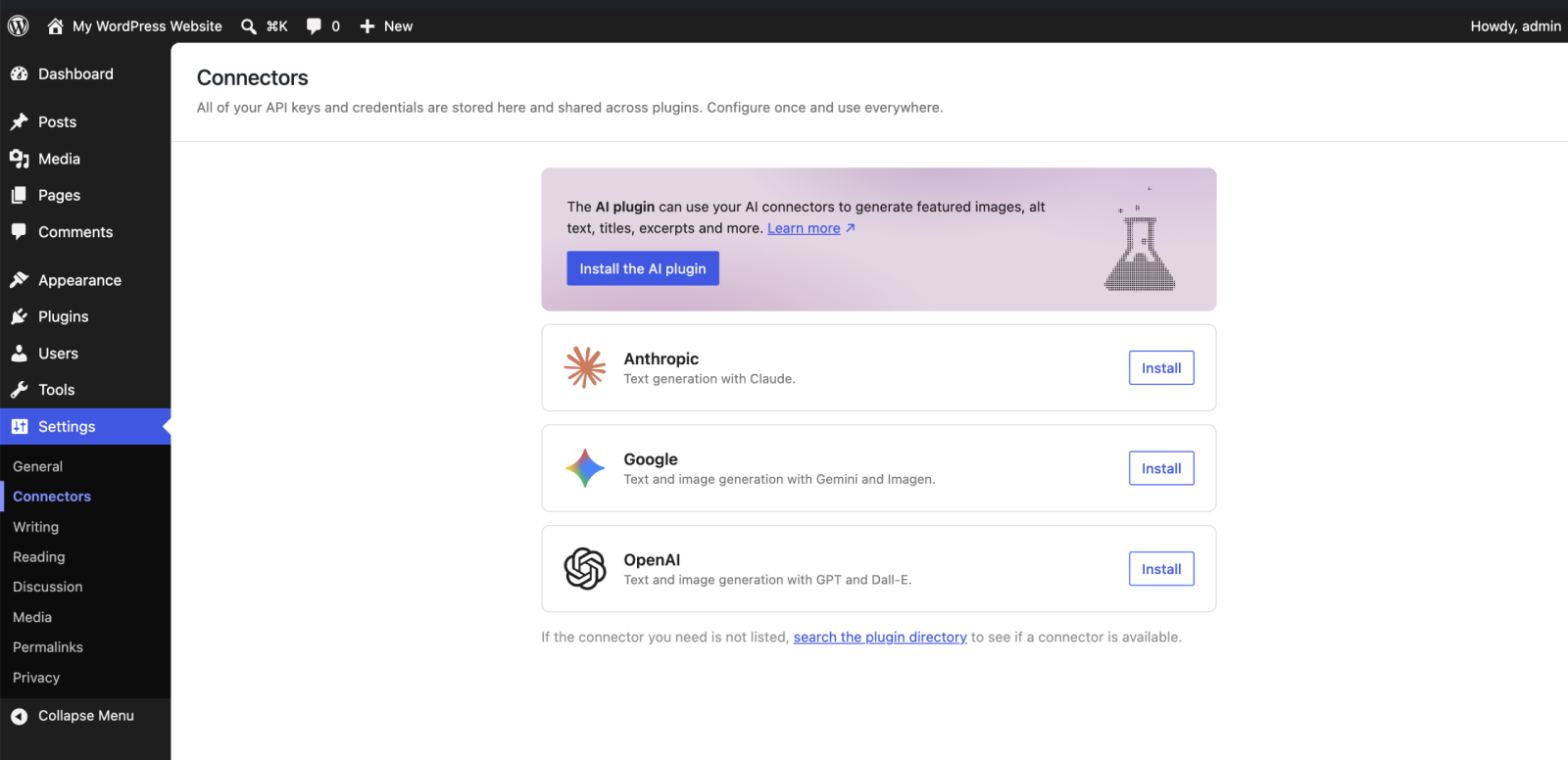
AI provider တစ်ခုတည်းကို မကန့်သတ်ထားဘဲ multiple AI services တွေကို support လုပ်ပါတယ်။ Developers တွေက pricing, performance နဲ့ business needs အလိုက် AI provider ကို ရွေးချယ်နိုင်ပါတယ်။
Better Plugin & Theme Compatibility
Shared framework အသုံးပြုထားတဲ့အတွက် plugins နဲ့ themes တွေ AI features အသုံးပြုတဲ့အခါ ပိုမို smoothly အလုပ်လုပ်နိုင်ပြီး conflicts လည်း လျော့နည်းလာပါတယ်။
AI-Powered Content Workflows
AI Client ကို content generation, summaries, SEO assistance, translation နဲ့ recommendations တွေအတွက် အသုံးပြုနိုင်ပြီး content teams တွေရဲ့ productivity ကို မြှင့်တင်ပေးနိုင်ပါတယ်။
Developer-Friendly Architecture
Simplified APIs, reusable integrations နဲ့ faster workflows တွေကြောင့် developers တွေအတွက် AI feature development နဲ့ maintenance ပိုမိုလွယ်ကူလာပါတယ်။
Challenges နဲ့ Considerations
AI Client မှာ advantages များစွာရှိပေမယ့် organizations တွေဟာ AI workflows implement မလုပ်ခင် အောက်ပါအချက်တွေကို စဉ်းစားဖို့ လိုအပ်ပါတယ်။
| Consideration | Importance |
| AI provider costs | Budget planning |
| Data privacy | Compliance requirements |
| AI-generated accuracy | Content quality control |
| Plugin compatibility | System stability |
| Governance policies | Responsible AI usage |
AI-generated content နဲ့ automation တွေကို accuracy, consistency နဲ့ compliance အတွက် careful review လုပ်ဖို့တော့ လိုအပ်နေဆဲ ဖြစ်ပါတယ်။
WordPress ထဲက AI ရဲ့ Future
WordPress 7.0 release ဟာ WordPress ecosystem အတွင်း ပိုကြီးမားတဲ့ AI transformation ရဲ့ အစတစ်ခု ဖြစ်လာနိုင်ပါတယ်။
အနာဂတ်မှာ
- Native AI site builders
- Intelligent content optimization
- AI-generated themes
- Autonomous publishing workflows
- Personalized user experiences
- Advanced AI-powered plugins
တို့လို features တွေ ပိုမိုမြင်တွေ့လာနိုင်ပါတယ်။
AI technologies တွေ ဆက်လက်တိုးတက်လာတာနဲ့အမျှ WordPress ဟာ next-generation web development platforms တွေနဲ့ ယှဉ်ပြိုင်နိုင်ဖို့ position ယူနေပါတယ်။
Final Thoughts
AI Client ကို မိတ်ဆက်လိုက်တာနဲ့ WordPress 7.0 ဟာ ecosystem တစ်ခုလုံးအတွက် standardized AI integration ဆီသို့ အရေးကြီးတဲ့ step တစ်ခု လှမ်းလိုက်တာ ဖြစ်ပါတယ်။
Unified framework တစ်ခုအဖြစ် AI services တွေကို connect လုပ်နိုင်လာတာကြောင့် developers, businesses နဲ့ publishers တွေဟာ AI-powered workflows တွေကို ပိုမို efficient နဲ့ consistent ဖြစ်စွာ adopt လုပ်နိုင်လာပါတယ်။
AI ဟာ websites နဲ့ digital experiences တွေထဲမှာ ပိုမို deeply integrated ဖြစ်လာတာနဲ့အမျှ AI Client ဟာ intelligent web development ရဲ့ future ကို shape လုပ်ပေးနိုင်တဲ့ အရေးကြီးတဲ့ technology တစ်ခု ဖြစ်လာနိုင်ပါတယ်။
If you are interested in or want to learn more about Microsoft 365 and other products, Thetys Myanmar You can contact us to discuss details.
reference website : Fusion Solution, Fusion Solution Vietnam
Related Articles
- Personal Finance Experience: ChatGPT ရဲ့ AI-Powered Money Management Feature အသစ်
- Copilot video Creation: AI နဲ့ professional presentation video ဘယ်လိုဖန်တီးမလဲ
- Excel မှာ မသုံးသင့်တဲ့ Chart Type 5 မျိုး
- ChatGPT Trusted Contact: OpenAI ရဲ့ AI Safety Feature အသစ်
- Copilot Cowork Mobile: စကားပြောဆိုရုံမှ လက်တွေ့အလုပ်ခိုင်းစေနိုင်မည့် Update အသစ်
- Agent 365 May 2026 Update – AI Agent Security နဲ့ Management
- Work Smart with Copilot Cowork: Agentic AI နဲ့ အလုပ်တွေကို ဘယ်လိုလုပ်လို့ရလဲ?
- Microsoft Copilot ရဲ့ Conversation Styles
Fusionsol blog in Thai
- Microsoft 365 คืออะไร?
- What is Azure AI Foundry Labs?
- Power BI Free Plan: A Deep Dive into Microsoft’s BI Solution
- Fusion Solution – Migrating Email to Microsoft 365